1 Fast, Cheap, or Accurate…Why Not All Three!
PolicyForge — Why you'll always have the final say
· 10 min read
Product PolicyForge Design
You're reading Part 12 of 16 in the PolicyForge series.
Use the Series Navigation button at the top-right to browse all posts in the series.
Start from the beginning →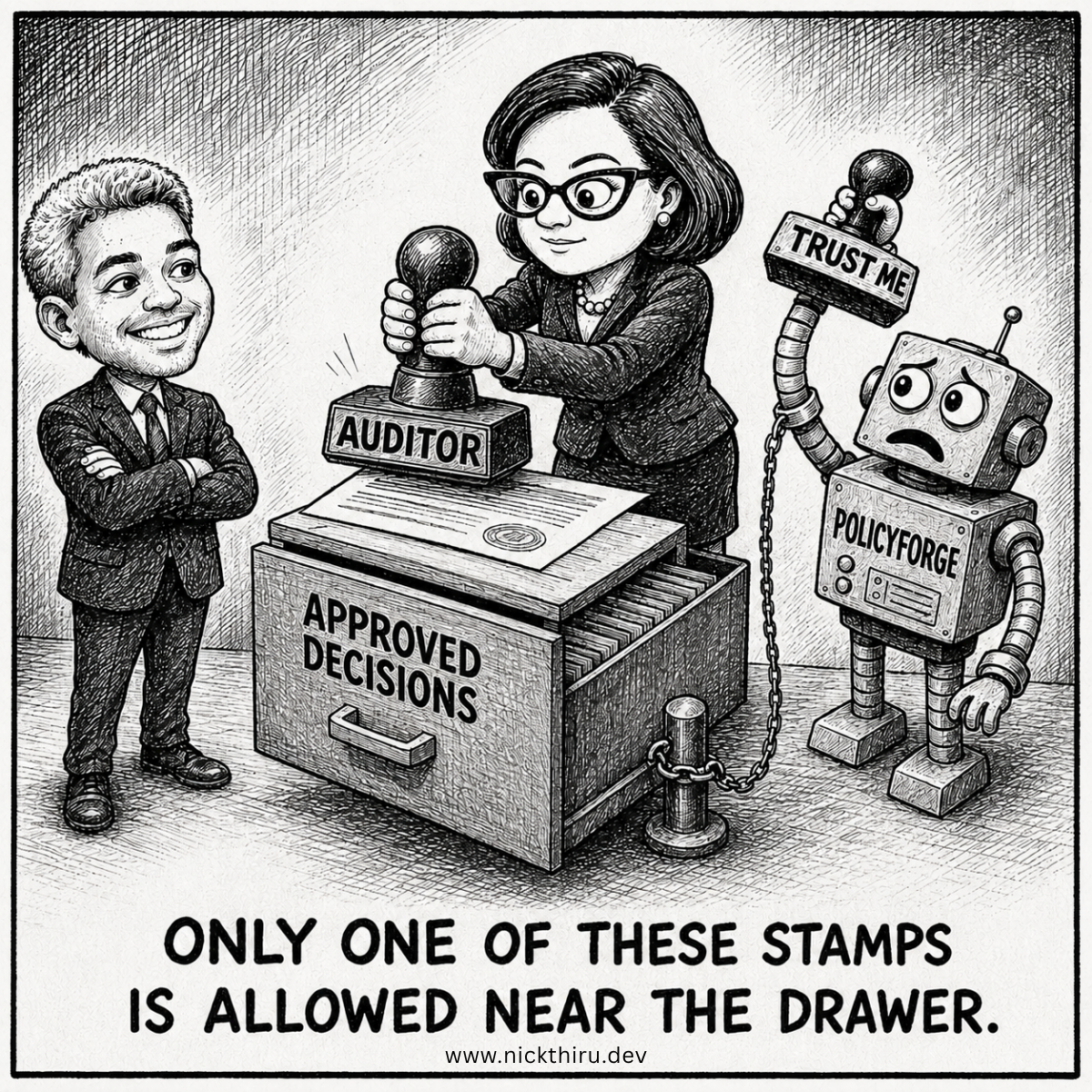
The User Moment
Picture a compliance manager named Sarah, three days from a SOC 2 renewal deadline, staring at a screen that just told her PolicyForge had mapped her incident response policy against forty-one framework requirements and found the coverage gaps. The mapping looks right. The gaps look real. Her cursor hovers over a button that says “Accept.”
Here’s the question that actually matters in that moment, the one I kept coming back to while designing this part of the product: what happens if she clicks it? Does the system just… submit something? Does a policy go out the door because an algorithm decided it was ready?
If the answer to that question is even slightly ambiguous, PolicyForge is dead on arrival with the exact audience it’s built for. Compliance professionals do not get to say “the AI did it” when an auditor asks who approved a control. Someone’s name goes on the line. Someone’s job is on the line. The entire premise of the product rests on getting this one interaction right, and I mean exactly right, not approximately right.
So before I wrote a line of interface copy, I had to answer a much harder question than “what should the button say.” I had to answer: does PolicyForge take actions, or does it make recommendations that a person acts on? Those sound like the same thing. They are not the same thing, and the gap between them is where this entire design problem lives.
The Design Problem
I started this piece of work assuming I already knew the shape of the answer. Human-in-the-loop. Everyone in this space says it. Every AI compliance tool claims it. I figured I’d design a review screen, add an approve button, log the click, done. A weekend’s worth of work, tops.
I got about halfway into mapping out what happens when someone rejects a recommendation before I hit a wall that stopped me cold. I was writing the failure-handling logic, the part where if something goes wrong, the system needs to roll back or retry, and I realized I couldn’t answer a basic question: roll back what, exactly?
A system rolls back an action it took. Retrying implies there was an API call that failed and needs another attempt. But PolicyForge, in this workflow, never calls out to submit anything on a user’s behalf. There’s no “submit to auditor” button that fires an integration. The actual submission, the final act of sending a policy for review or filing it, happens outside PolicyForge entirely. A person downloads a document and emails it, or uploads it to a portal I have no access to.
That meant my entire error-handling model was built around the wrong premise. I’d been designing for a system that executes things and occasionally needs to recover from a failed execution. What I actually had was a system that produces judgments, and a person who acts on those judgments in the real world, mostly outside my four walls entirely.
This is a genuinely uncomfortable realization to have partway through a design sprint, because it doesn’t just change one screen. It changes what “error” even means. If the system never submits anything, what does it mean for something to go wrong? If nothing gets executed, what needs to be logged, and why?
I had to sit with the discomfort of not having redesigned everything from scratch, instead going back through every gate, every checkpoint, every moment in the workflow where a person needs to weigh in, and re-answering the same question for each one: is this a recommendation, or is this an action? It turned out every single checkpoint in the flow was the former. Not one of them was the latter.
The Options
Once I’d named the real problem, I had three genuinely different ways to build the review layer, and I want to be honest about the two I didn’t pick, because the reasoning matters more than the conclusion.
Option one: confidence-based auto-approval. If the mapping confidence score clears some threshold, say ninety percent coverage certainty, just ship it without making the user click anything. This is tempting because it’s fast, and speed is a real selling point against the week-long consultant engagements PolicyForge is replacing. I killed this option almost immediately. A ninety percent confidence score is still a machine’s opinion about a legal and regulatory document, and a compliance manager who finds out later that something auto-shipped without her eyes on it will never trust the product again, no matter how accurate it turned out to be. Trust, once broken this way, doesn’t come back with a bug fix.
Option two: a soft-review pattern, where the recommendation is visible by default and the user has to actively object rather than actively approve. This is common in consumer software, the “we’ll assume yes unless you say no” pattern. I rejected this too, for a similar reason: silence is not consent when the outcome is a compliance filing. A gap that nobody explicitly acknowledged is a gap that will not hold up if it’s ever questioned later. The absence of a click needs to mean nothing has happened, not that something happened by default.
Option three, and the one I am building: no default path exists at all. Every single checkpoint stays flagged as needing attention until a person takes one of a small number of explicit actions: accept it as-is, edit it and then accept it, or reject it and send it back for another pass. There is no fourth path where time or inaction moves something forward. If Sarah closes her laptop and comes back three days later, the flagged item is still flagged. Nothing advanced without her.
The part of this option that took the longest to get right was the override case, the moment when the system flags something as incomplete but the person disagrees and wants to move forward anyway. I didn’t want overriding to be a shortcut, so it requires typing an actual reason, every time, even if it’s the same gap she’s overridden before on a similar policy. That felt like friction worth keeping. If you’re going against a flagged risk, you should have to say why, in your own words, on the record.
The Build
From Sarah’s side, every recommendation, whether it’s a mapped control, a flagged gap, or a note about something specific to her environment, sits behind the same simple pattern: it’s marked as needing her review, it stays that way until she does something about it, and her options are limited to accept, edit-and-accept, or send it back.
The part I’m most glad I figured out is what happens underneath that interaction. Every single decision she makes gets written down permanently: what she decided, exactly which version of the recommendation she was looking at when she decided it, and when. Not a summary. Not a rolled-up status. The actual decision, tied to her, tied to that specific version of the content, forever queryable if an auditor ever asks “who approved this and when.”
That permanence turned out to matter in a way I hadn’t fully planned for. If the underlying recommendation changes, say Sarah edits an earlier answer and the mapping regenerates, her prior review of the old version doesn’t just carry over silently. It gets marked as no longer current, and she’s shown the new version and asked again. I’m including this because the alternative, quietly assuming an old approval still applies to new content, felt like exactly the kind of shortcut that erodes the whole premise of the product. An approval is an approval of a specific thing at a specific moment, not a blanket endorsement of whatever the system produces next.
The failure cases surprised me the most, honestly, because there were fewer of them than I expected once I stopped thinking in terms of system actions and started thinking in terms of recorded decisions. If a save fails when Sarah clicks accept, she sees that it failed. She isn’t left wondering whether her decision went through; the interface tells her plainly and won’t let her move forward until it’s confirmed saved. If a pattern of failures shows up repeatedly, that becomes something the product surfaces and escalates on its own, without needing her to notice and complain first. Most day-to-day hiccups, the small race conditions where two things happen a moment apart, resolve themselves invisibly and never bother her at all. The line I drew was simple: anything that could quietly cost her control over a decision gets loud. Everything else stays quiet.
One thing I’m choosing not to build, at least for now, is any kind of automated verification that the final submission actually happened the way she said it did. When Sarah tells the system she’s filed the policy externally, PolicyForge records that attestation and moves on. It doesn’t and can’t check her work outside its own boundary. I went back and forth on whether this was a gap worth closing immediately, and decided it wasn’t, at least not yet. The alternative, trying to verify an action that happens entirely outside the product, would mean building integrations into systems I don’t control and don’t need to, just to satisfy a completeness itch. I’d rather trust the person and keep the boundary honest about what the product can and can’t see.
The Verdict
Does this solve the actual problem, the one Sarah has three days before her deadline? Mostly, yes, and I think the honest way to describe it is that it solves the trust problem better than it solves the speed problem. The whole point of PolicyForge is compressing weeks of consultant work into something much faster, and every explicit review step is, by definition, a moment where a human has to stop and think instead of the system just moving forward on its own. I built in friction deliberately, and I stand by that decision, but I won’t pretend it’s free.
What I didn’t expect going into this is how much clearer the entire product became once I stopped treating “human-in-the-loop” as a compliance checkbox and started treating it as the actual product. PolicyForge isn’t a tool that does compliance work and occasionally checks in with you. It’s a tool that does the reading, the mapping, and the drafting so that your judgment, the thing you’re actually accountable for and actually good at, gets applied faster and with better information. The system’s job ends exactly where a human decision begins. I didn’t fully believe that distinction mattered until I tried to design around it and discovered how much of my original plan was quietly assuming the opposite.
If I were doing this again, I’d have asked the “does this system take actions or make recommendations” question in the very first week of the whole project, not partway through building the review screens. It would have saved me a redesign, and more importantly, it would have shaped the product vision itself instead of just one workflow inside it. The open question I’m sitting with now is whether the same clarity needs to extend further back, into how confidently the product should ever phrase a recommendation in the first place, since a system that never acts on its own still has enormous influence over what a busy, deadline-pressured person decides to click.
Your Turn
If you’ve used a tool that claimed to be “AI-assisted” for something you were personally accountable for, what told you whether you could actually trust the button you were clicking, and was it something the product showed you, or something you had to find out the hard way?
Have thoughts on this? I'd love to hear them. The conversation is happening on:
Now Building
PolicyForge
Generate compliant cybersecurity policies in minutes instead of weeks. Answer 15–20 questions about your technology stack and controls. Get framework-aligned security policies ready for audit submission. No expensive consulting.
Learn more and join the waitlist